How the BlueEye App Gives You Complete Control of Your Home Security

Home security has changed dramatically. An alarm system is no longer simply a panel on the wall that is armed when you leave home and disarmed when you return. Today, homeowners expect their security system to be connected, accessible and easy to manage from wherever they are.

That is where the Paradox BlueEye app comes in.

BlueEye puts the security system into the homeowner's smartphone, creating a direct interface between the user and their Paradox installation. Whether the system is built around the SP65, SP6000+, MG5050+, EVO192, EVOHD+ or M25, the goal is the same: make security easier to access, understand and control.

The exact functionality and connectivity method depend on the panel, communication hardware and firmware configuration, but across the Paradox ecosystem, BlueEye is designed to turn security into a connected experience.

Your security system, wherever you are

One of the biggest advantages of BlueEye is that homeowners don't need to be physically standing in front of the alarm keypad to interact with their security system.

Remote control allows users to interact with their system through their smartphone, including functions such as arming and disarming where supported. This means that forgetting to arm the alarm before leaving home doesn't necessarily mean turning around.

It also creates greater flexibility for everyday life.

A homeowner can check the system while at work, manage security while travelling or give authorised users access without having to be physically present at the property. For installers, this transforms the conversation from selling an alarm panel to selling a connected security solution.

Know what is happening — and when something needs attention

Remote control is only one part of effective security. Homeowners also want to know what is happening with their system when they're away. BlueEye provides access to system status and security events through the app, while push notifications can keep users informed when important events occur.

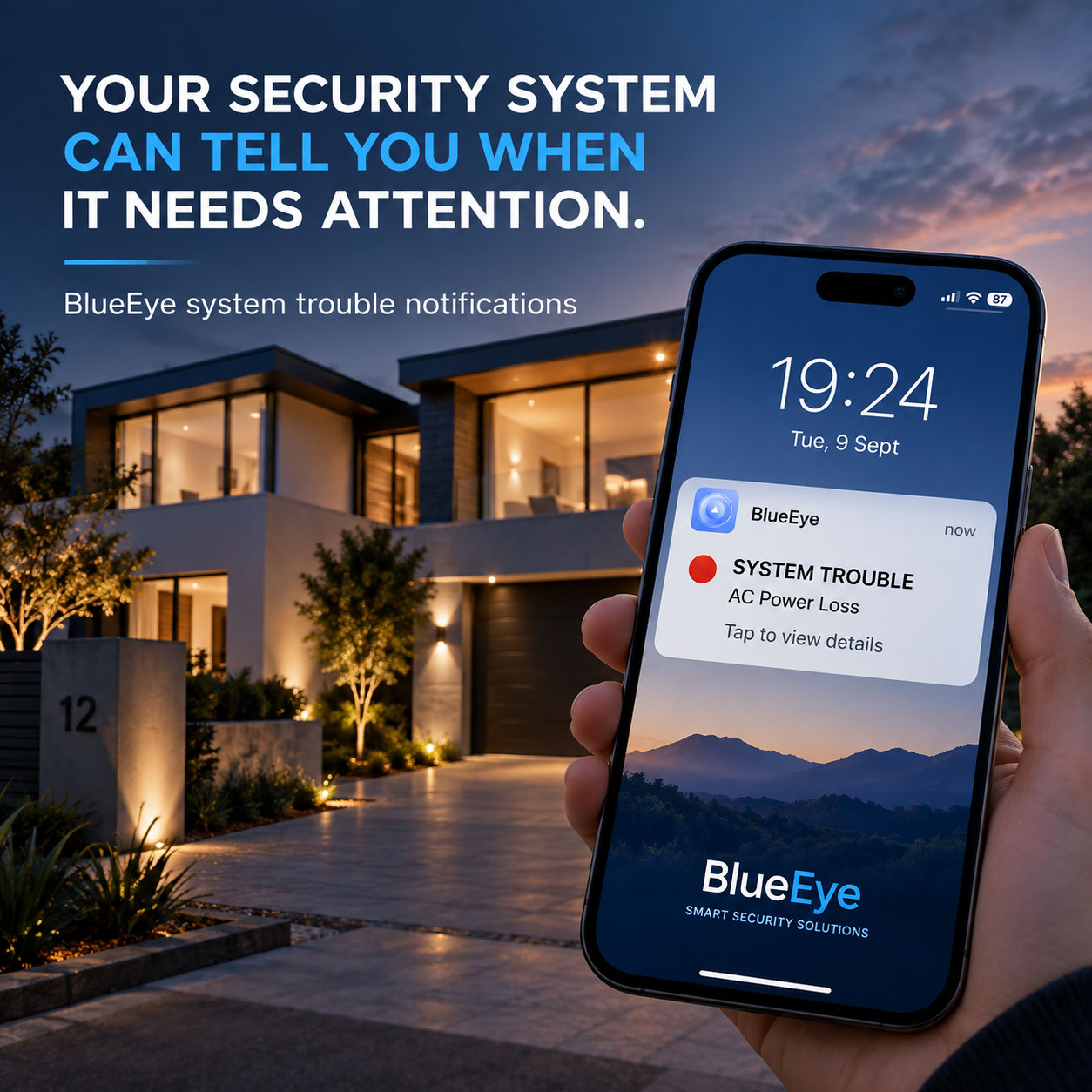
But there is another important advantage that can easily be overlooked: BlueEye can also provide push notifications for system troubles and maintain logs of those trouble events.

This means the homeowner isn't only notified when an alarm event occurs. They can also be alerted when the security system itself requires attention.

A system trouble could relate to an issue that may affect the operation or reliability of the installation. Being notified promptly gives the homeowner — and, where applicable, the security professional — an opportunity to investigate the issue rather than discovering it much later.

The ability to receive trouble notifications and access trouble logs is particularly valuable because it provides visibility into the health of the security system, not simply the security events taking place around the property.

For a homeowner, that means greater confidence that their security system isn't simply connected — it's also being monitored for conditions that may require attention.

BlueEye App Trouble Notifications

One app across a powerful Paradox portfolio

The strength of BlueEye becomes particularly apparent when looking at the range of Paradox control panels it can complement.

The SP65 provides a compact solution for installations where a practical, cost-effective security platform is required. The SP6000+ extends the Spectra SP+ platform for larger and more demanding installations.

The MG5050+ brings the same connected philosophy into the Magellan range, making it particularly attractive for residential applications where wireless capability and remote access are important.

For larger and more advanced installations, the EVO192 and EVOHD+ provide a powerful platform for security and access-control applications.

Then there is the M25, which represents a different approach altogether.

The M25 is a modern hybrid wireless console designed around the BlueEye experience, providing a highly connected approach to residential security.

This gives installers a portfolio of solutions rather than a one-panel-fits-all approach.

More than simply arm and disarm

One of the most important aspects of BlueEye is that it can bring multiple functions of a compatible Paradox installation together.

Paradox BlueEye can provide access to alarm, access control, video and programmable outputs, depending on the system configuration.

That opens the door to much more than traditional alarm control.

Depending on the installation, programmable outputs can be used to control connected devices. This could include functions such as gates, doors, lights or other equipment.

The result is a security system that can become part of the homeowner's wider property-control experience.

For example, arriving home after dark could mean more than simply disarming the alarm. A configured system could allow the user to interact with other connected functions from the same app.

Paradox BlueEye App

See the history

Knowing what is happening now is important. Knowing what happened earlier can be just as valuable.

BlueEye provides access to system information and event history, giving homeowners greater visibility into activity on their security system.

This can be particularly useful when a homeowner returns to find that an alarm event has occurred or wants to understand activity while they were away.

The same principle applies to system troubles. Trouble events can be logged, giving users a record that can help identify when a system issue occurred and provide useful information when troubleshooting.

Instead of relying on guesswork, the user can refer to the recorded system activity.

For security professionals, this is another opportunity to demonstrate the difference between a traditional alarm installation and a modern connected security solution.

Give the right people the right access

Modern homes often have multiple people who need access to the security system.

Family members may need to arm and disarm the alarm. A property manager may need temporary access. Other authorised users may require limited functionality.

BlueEye supports user access management, allowing security access to be controlled rather than simply sharing a single set of credentials with everyone.

That makes connected security more practical for real-world households and properties.

Connectivity is the key

Of course, remote security control depends on reliable communication between the alarm system and the cloud service.

For compatible Paradox systems, communication options include IP and cellular technologies. The IP180, for example, provides Ethernet and Wi-Fi connectivity and is designed to connect compatible Paradox systems remotely through BlueEye.

For cellular installations, compatible Paradox communicators can provide LTE connectivity and BlueEye functionality, depending on the panel and configuration.

The M25 takes this connectivity philosophy a step further with integrated connectivity options, making the BlueEye experience an integral part of the system.

This is what allows the security system to move from being a standalone installation to becoming a connected service.

One ecosystem. Multiple installation possibilities.

Perhaps the biggest advantage for installers is that BlueEye doesn't require every customer to have the same alarm panel.

The SP65 can serve installations where simplicity and value are important. The SP6000+ provides additional capacity for more demanding Spectra installations. The MG5050+ is a strong option for residential and hybrid applications. The EVO192 and EVOHD+ bring the platform into larger and more advanced security and access-control environments. And the M25 represents Paradox's next-generation approach to connected hybrid security.

The hardware may differ, but the connected experience can remain familiar.

That gives installers an opportunity to sell a complete Paradox ecosystem rather than a collection of unrelated products.

Security that stays with you

Ultimately, BlueEye changes the relationship between the homeowner and their security system.

The SP65, SP6000+, MG5050+, EVO192, EVOHD+ and M25 can form the foundation of very different security installations, but the modern homeowner increasingly wants the same thing from all of them: control, visibility and confidence.

BlueEye brings that experience to the smartphone.

It allows homeowners to arm and disarm their system remotely, receive important security notifications, review system activity, manage authorised access and, importantly, stay informed about system troubles that could require attention.

That last point is easy to overlook, but it is a significant part of what makes a connected security platform genuinely useful. A smart security app shouldn't only tell you when something has happened at your property. It should also help you understand when the security system itself needs attention.

Because modern security isn't only about protecting the home when you're there.

It's about staying connected to your home — and staying informed about the health of your security system — when you're anywhere else.

And with Paradox BlueEye, that connection is in the homeowner's hands.


Download the BlueEye App

Get the Paradox BlueEye App on the App Store

Get the Paradox BlueEye App on the App Store

To top